
A race, a ride or a rally takes people where the phone often has nothing. LastBar shows each rider where the signal is, with no connection, and guides them to the nearest place a call will go through. But it can only show what a phone has measured there before. If you are the organiser, you can make sure the route is measured: travel it once with an Android phone recording, a day or more before the start.
Why a day or more before the start
Readings from other phones reach everyone's map once they are 24 hours old, so that nobody can follow a phone on the map. On top of that:
- The recording phone sends its readings as soon as it has a connection again. Where the route has no signal, that is when you are back in range, not as you pass.
- The server folds new readings into the map every 10 minutes, and rebuilds the files phones download every 30 minutes.
- Each rider's phone fetches the new map the next time the app is opened with a connection.
So travel the route at least 30 hours before the start. Two or three days before is safer, and leaves time to go back for a stretch that was missed.
What you need
- An Android phone. iPhones can't record in the background: Apple doesn't let an app measure signal while the screen is locked or the app is closed. Riders with iPhones can still use the map and Find Signal.
- Two or three phones on different networks, if you can. The map shows the best signal of every network, and an emergency call can use any network the phone can reach, so a second network fills in places the first has none.
- A power bank. Continuous recording keeps the GPS on and uses much more battery than the standard setting.
Step by step
1. Install LastBar a week ahead
Get LastBar on the recording phone from Google Play, open it once and allow location. Do this about a week before you record, or use a phone that has had the app for a while: the readings of a phone that is new to LastBar count for less until it has been used for a week, or until other phones confirm what it measured, so the route may show as less certain.
2. Set it to Continuous
In Settings, tap Take a reading every and choose Continuous: as you move. Instead of a reading every few minutes, the phone then takes one every 100 m you move. In recent versions you can also tap the bar at the top of the map to choose it.
3. Keep Android from stopping it
- Battery saver off (Power saving on Samsung). On many phones it turns the GPS off while the screen is off, and then nothing is recorded. The bar at the top of the map says so when it is in the way.
- Let LastBar run in the background. In LastBar's Settings, open Running in the background and allow it. On Samsung, Huawei, Honor, Xiaomi, Oppo, Realme, OnePlus and Vivo phones the app also tells you which setting of the phone to switch. On Samsung: Settings, Apps, LastBar, Battery, and choose Unrestricted.
- Plug in a power bank for a long day.
4. Travel the route at event pace
Ride, drive or walk the route as the event will, with the phone in a pocket or a mount; the screen may be off. Go everywhere riders will go, including water points, checkpoints and the likely bail-out roads. One pass is enough; if you have time, a second phone on another network on the same day is worth more than a second pass with the same phone.
5. Check that it is recording
- The bar at the top of the map says Collecting continuously (in older versions of the app, just Collecting), and below it how many readings are waiting to upload.
- Your own readings appear on the map straight away, with a dark outline, before anything is uploaded. Tap one and it says so.
- If the bar says Collection paused, or that access is missing, tap it and fix what it names.

6. Let it upload
When you are done, give the phone a connection, mobile data or Wi-Fi, and open LastBar. It sends what it recorded, and the bar's count of readings to upload goes down to nothing. Readings wait on the phone for up to 90 days, so nothing is lost if that is only the next day; it just starts the 24 hours later.
For your riders, before the start
The map is only on a rider's phone if it was fetched there. Ask every rider, the day before or on the morning of the event, with a connection:
- Install LastBar and open it.
- Move the map over the event area and tap the download button to save the area. One saved area is free. LastBar keeps the map, the coverage and the water, shelter and help points of it on the phone.
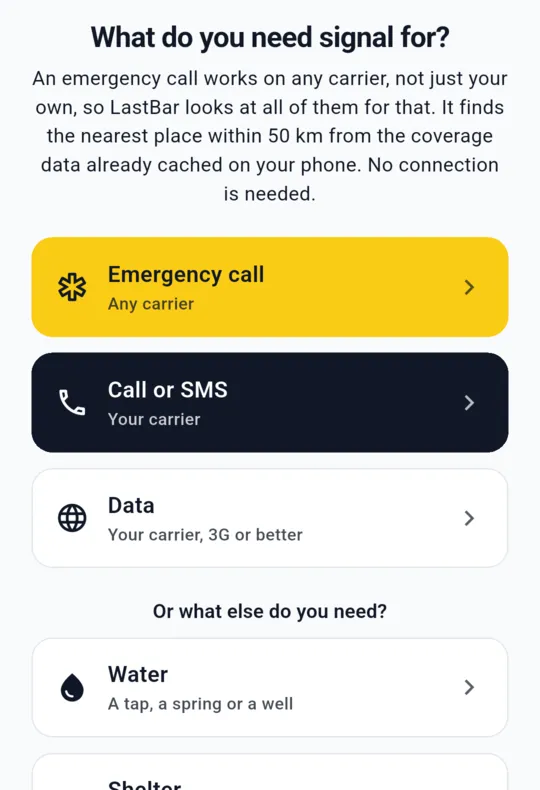
- Know where Find Signal is: with no connection, it points to the nearest place the phone will work, and shows the emergency numbers of the country.
LastBar is no satellite messenger or personal locator beacon. Where no network reaches at all, it can only show the way back to the last place that had signal. It helps your own safety plan and medical team; it does not replace them.
Checklist: pre-recording an event route
- A week before: LastBar on the recording phone(s), Android, opened once, location allowed
- Phones on different networks, if you have them
- Settings, Take a reading every: Continuous: as you move
- Battery saver off; LastBar allowed to run in the background (Samsung: Battery, Unrestricted)
- Power bank and cable
- 30 hours or more before the start (2 to 3 days is safer): travel the whole route at event pace
- Check the bar says Collecting continuously and your hexagons appear
- Afterwards: a connection, open LastBar, wait until nothing is left to upload
- Tell riders: install LastBar, save the event area, know Find Signal
Organising an event? Ask us for Pro codes for your marshals and team.
Pro adds the satellite map and up to ten saved areas. We are glad to give codes to the people who look after your riders, with nothing expected in return.
Run a reserve, a farm or a trail? See how to map the signal on your reserve or farm trails.
Questions people ask
How long before the event should we record the route?
At least 30 hours before the start, and two or three days is safer. Readings from other phones reach everyone's map once they are 24 hours old, the recording phone has to upload once it is back in signal, and riders fetch the map when they next open the app with a connection.
Can we record with an iPhone?
No. An iPhone does not let an app measure signal in the background, so the recording phone must be Android. Riders with iPhones can still use the map and Find Signal.
Does LastBar contact our medical team or emergency services?
No. It shows where the phone will work and the emergency numbers of the country, and the rider makes the call. It is no satellite messenger and does not replace your safety plan.
Does the recording phone need signal while it records?
No. It records with or without a connection and keeps its readings for up to 90 days, then uploads them once it has a connection again.